

The short answer
A failed software build is rarely rescued by adding more developers and restarting the same plan. The first 30 days should reduce risk, restore visibility, and create a smaller path to a reliable release. Stabilize production, secure every system, inventory commitments, establish a test baseline, cut scope, and publish a recovery release plan with clear owners and evidence.
This software project rescue plan is designed for founders, CTOs, and buyers who need to determine what can be saved, what must be replaced, and what the next release can realistically contain.
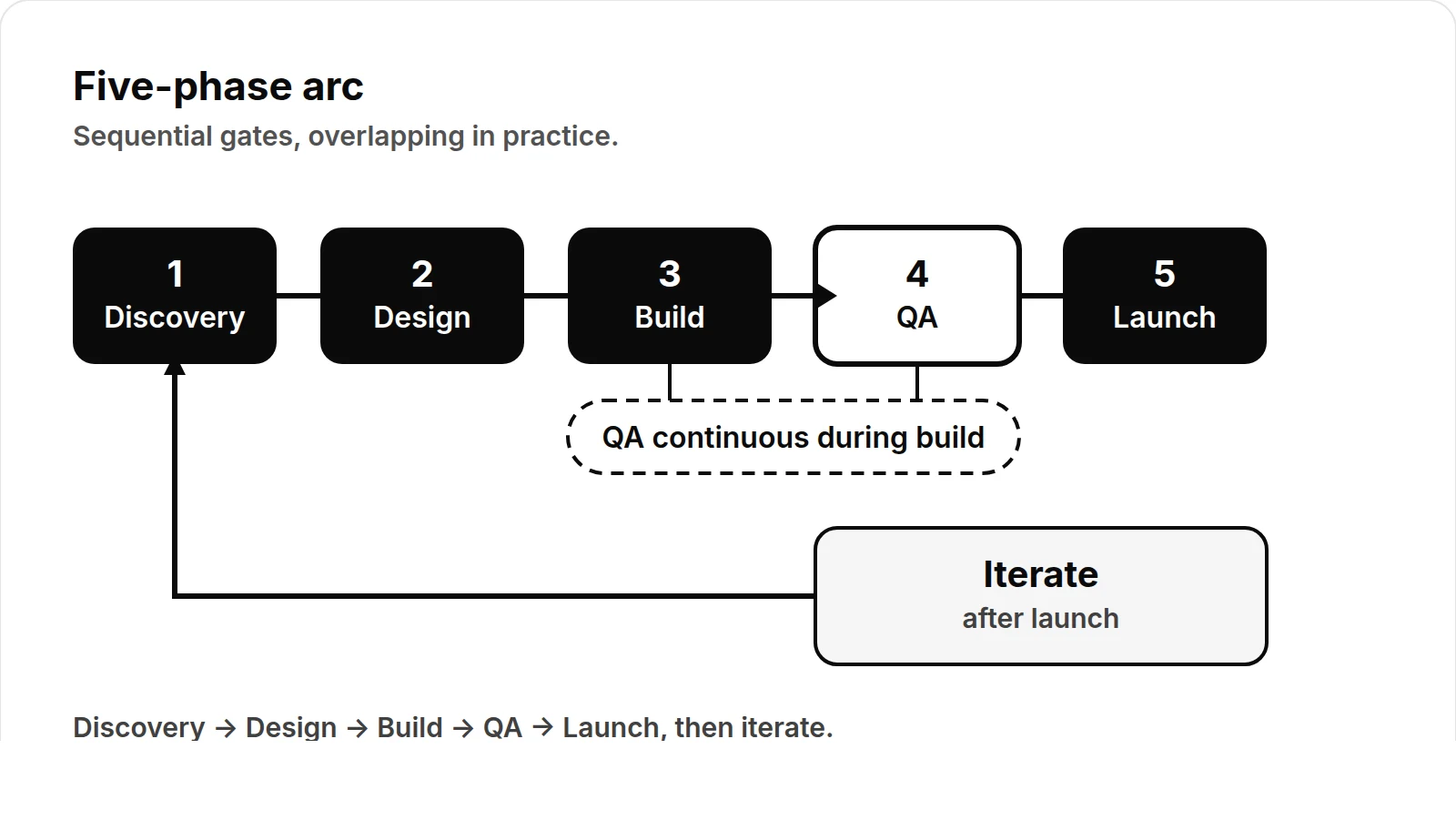
A rescue plan needs evidence before more scope
More scope is not a recovery plan. Before choosing rescue, refactor, rewrite, or shutdown, establish what is running, what can be reproduced, what data and access are at risk, and what acceptance would mean.
- Triage: freeze risky change, collect repository, deployment and data access, and map critical flows.
- Stabilize: reproduce failures, protect production, and add rollback and smoke tests.
- Reset: choose rescue, refactor, rewrite or shutdown and define acceptance.
For adjacent evidence, read the technical due diligence guide, the SaaS rewrite vs refactor framework, and the AI agent evaluation checklist.
Days 1–3: Stabilize production
The first priority is to stop the situation from getting worse. Do not begin with a large refactor, a new framework, or a new delivery schedule. Begin by protecting users, revenue, and data.
Create a temporary change-control rule. Every production change should have an identified owner, a reason, a rollback approach, and a record of what changed. Emergency fixes may move quickly, but they should still be documented.
Establish a basic production picture:
- What is currently deployed?
- Which services are receiving traffic?
- Which jobs, integrations, and scheduled tasks are running?
- Where are errors appearing?
- Which user journeys are unavailable or unreliable?
- How would the team roll back the last deployment?
- Who can respond if production fails outside business hours?
If monitoring is incomplete, add only the signals needed for immediate decisions: application errors, failed jobs, response failures, database capacity, queue backlogs, and critical third-party integration errors. The goal is not to build a perfect observability platform in three days. The goal is to know whether a change improves or harms the system.
Freeze nonessential feature work until the team understands the current failure modes. Keep necessary security, reliability, and customer-support work moving, but separate it from the recovery backlog.
Days 1–5: Secure access and ownership
A failed build often exposes an operational problem as much as a code problem. Former contractors may still have access. Credentials may be shared. Production deployments may depend on one person's laptop. Repository permissions may not match current responsibilities.
Perform an access review across the code repository, cloud account, hosting platform, databases, CI/CD system, package registries, analytics tools, payment providers, email services, domain registrar, and support systems.
Use named accounts wherever possible. Remove inactive users, rotate shared credentials, confirm multi-factor authentication, and record the owner of each critical system. Verify that backups exist and that someone can restore them. If recovery has never been tested, mark it as an unverified assumption rather than treating it as completed.
A simple ownership register is enough to start:
| Area | Current owner | Backup owner | Access verified | Main risk |
|---|---|---|---|---|
| Source repository | Engineering lead | CTO | Yes | Unreviewed branches |
| Production hosting | CTO | Senior engineer | Yes | Manual deployment |
| Primary database | Senior engineer | CTO | Yes | Restore not tested |
| Customer email | Operations | Founder | Yes | Shared credential |
| Payments or billing | Founder | Operations | Yes | Provider dependency |
This register should be maintained throughout the rescue. Access is not a one-time administrative task; it is part of operational continuity.
Days 3–7: Inventory the real commitments
Project recovery fails when the team plans against assumptions instead of commitments. Build an inventory that reflects what customers, executives, partners, and internal teams actually expect.
Review contracts, statements of work, sales promises, support tickets, product requirements, design files, roadmap presentations, release notes, and existing demonstrations. Separate confirmed obligations from ideas, preferences, and outdated requests.
For each commitment, record:
- The promised outcome
- The intended user or buyer
- The date or dependency involved
- The evidence that the feature exists
- The technical dependencies
- The business consequence if it is delayed
- The person who can accept or reject the result
Do not label a feature complete because a screen exists. A feature is closer to complete when its main workflow works, its data is handled correctly, its permissions are understood, its failure cases are addressed, and a user can verify the expected outcome.
Classify work into four groups:
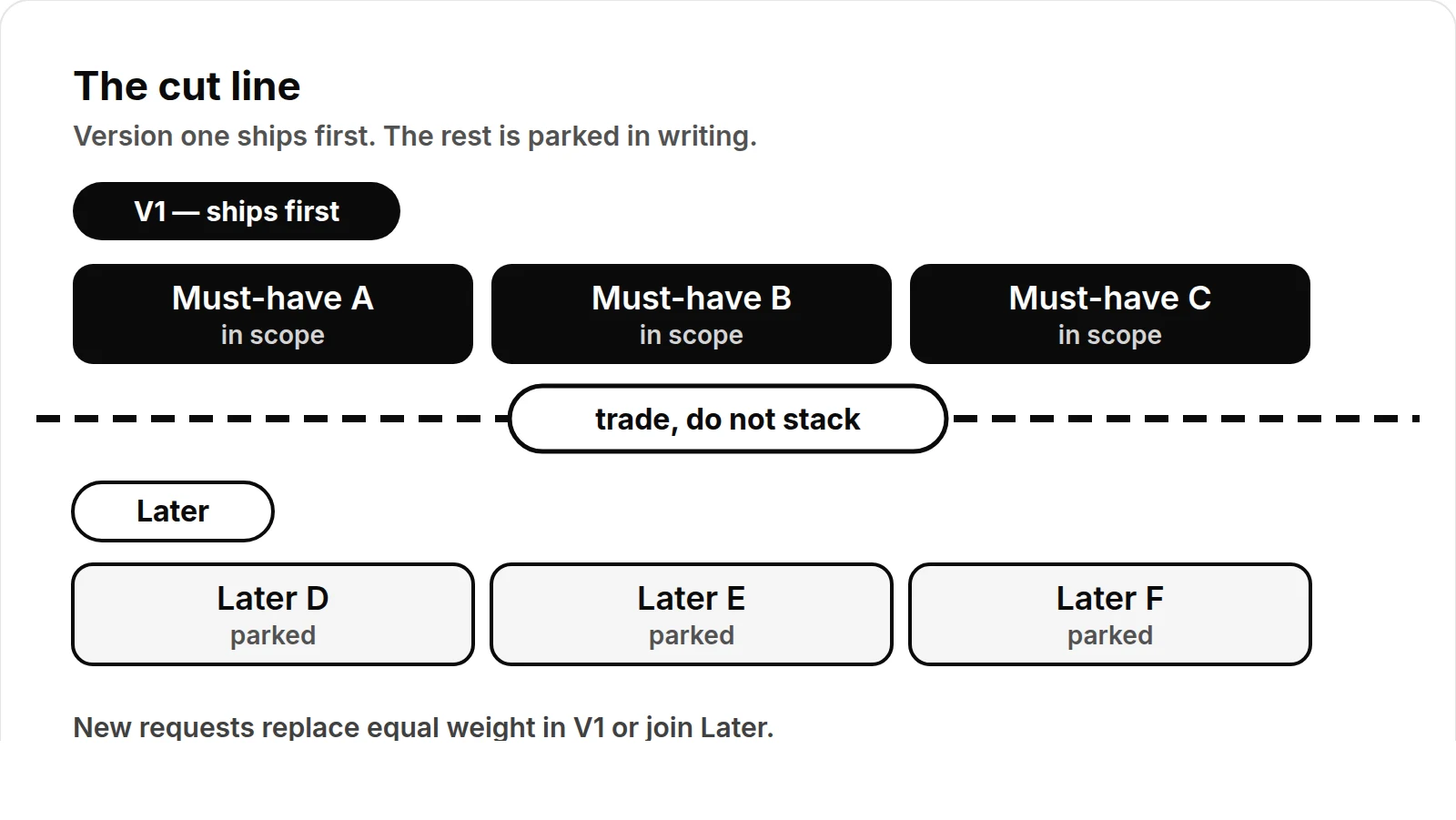
- Must protect: production stability, security, data integrity, and existing customer workflows.
- Must release: the smallest set of capabilities needed to satisfy the next meaningful business outcome.
- Could release: useful work that can wait without blocking the recovery release.
- Must remove: work that adds complexity without supporting the immediate outcome.
This is where scope reduction becomes a technical decision rather than a negotiation tactic. A smaller release with a known boundary is more valuable than a large release whose behavior cannot be verified.
Days 5–10: Establish a technical baseline
Before selecting a rescue architecture, create a baseline of the current system. The baseline should answer what runs, what fails, and what the team can safely change.
Inspect the repository structure, dependency files, build process, deployment configuration, environment variables, database schema, background jobs, external integrations, and authentication flows. Run the application in a controlled environment. Capture setup failures and undocumented prerequisites.
Create a short risk register. Keep it specific and observable.
| Risk | Evidence | Impact | Next action | Owner |
|---|---|---|---|---|
| Deployment is manual | Release requires local steps | Slow and error-prone releases | Document and automate the critical path | Engineering lead |
| Login behavior is inconsistent | Different flows use separate session logic | Users may be locked out or exposed | Trace and test authentication paths | Senior engineer |
| Database restore is unverified | No recent restore record | Recovery time is unknown | Run a restore test in isolation | CTO |
| External integration is unstable | Repeated failed requests | Core workflow may stop | Add timeouts, logging, and fallback behavior | Integration owner |
Avoid declaring the entire codebase unusable without evidence. Some parts may be sound but poorly documented. Others may appear complete while depending on fragile assumptions. The purpose of the baseline is to distinguish salvageable work from work that increases risk.
Days 7–14: Establish tests around business risk
You do not need complete test coverage before making progress. You do need repeatable checks around the workflows that matter most.
Start with a thin acceptance suite for the primary user journey. For example, if the product's immediate goal is to let a customer create an account, configure a project, invite a teammate, and generate an outcome, test that path from beginning to end. Include the permissions, records, notifications, and integrations required for the result to be real.
Add focused checks for:
- Authentication and authorization
- Data creation, updates, and deletion
- Payment or billing boundaries, if applicable
- Critical imports and exports
- Queue and scheduled-job behavior
- External service failures
- Migration and rollback behavior
- The production issue that triggered the rescue
Use the following recovery checklist before accepting a release candidate:
- [ ] The application can be built from a clean environment.
- [ ] Required configuration is documented without exposing secrets.
- [ ] The primary workflow has a repeatable acceptance test.
- [ ] Critical permissions have been tested for allowed and denied actions.
- [ ] Database changes have a migration and rollback consideration.
- [ ] Failed external requests are visible in logs or alerts.
- [ ] A deployment owner and rollback owner are named.
- [ ] Support has a short description of known limitations.
- [ ] The release candidate has been tested with representative data.
- [ ] The team has agreed on what is explicitly out of scope.
A test that fails is useful evidence. A missing test is an unknown. Track both separately so the team does not confuse silence with safety.
Days 10–18: Cut scope and choose the recovery shape
At this point, the team should have enough information to decide whether to repair, isolate, or replace parts of the system.
Repair a component when its behavior is understandable, its dependencies are manageable, and the cost of changing it is lower than replacing it. Isolate a component when it is risky but can be placed behind a stable interface. Replace a component when its behavior is untraceable, its foundation is unsuitable for the required outcome, or continued work would create more uncertainty than value.
Do not make this decision by counting files or lines of code. Evaluate the path to a verified outcome.
A practical recovery release might exclude advanced reporting, custom configuration, edge-case automation, and secondary integrations while preserving the core workflow. That is not automatically a product failure. It is a controlled reduction of promises until the system can earn broader scope again.
Write a release boundary in plain language:
> The recovery release enables a defined user to complete the primary workflow with known data, permissions, and failure behavior. It excludes advanced customization, nonessential integrations, and unverified automation.
The boundary should be understandable to engineering, operations, sales, and customers. If different groups interpret it differently, the scope is not yet controlled.
Days 18–24: Build the recovery release plan
The recovery plan should connect work to outcomes, owners, dependencies, and verification. Avoid a task list with vague entries such as “finish backend” or “fix quality.” Each item should state what will change and how the team will know it works.
For each release item, define:
- The user or operational outcome
- The smallest implementation needed
- Dependencies and assumptions
- The test or evidence required
- The owner and reviewer
- The target completion window
- The rollback or containment approach
Plan in short slices. A useful sequence might be production safeguards, access cleanup, primary workflow repair, data validation, integration hardening, acceptance testing, release rehearsal, and controlled rollout.
The plan should also identify decision points. If a dependency is not available by a specific date, the team needs a fallback or an explicit scope change. A schedule without decision rules only postpones the next surprise.
Days 24–30: Rehearse, release, and reset expectations
Before the recovery release reaches all users, rehearse the deployment with the same configuration and sequence as the intended release. Confirm database migrations, background jobs, cache behavior, monitoring, rollback steps, and support communications.
Use a controlled rollout where practical. Start with a limited audience or low-risk workflow, observe the defined signals, and expand only when the evidence supports it. Record incidents and near misses. They are inputs to the next iteration, not reasons to hide uncertainty.
At the end of the first 30 days, produce a concise recovery report:
- What was stabilized
- What access and ownership gaps were closed
- What commitments were confirmed or removed
- What was repaired, isolated, or replaced
- Which tests now protect the primary workflow
- What remains risky
- What the next release includes and excludes
- Which decisions require executive or customer input
The report should make the project legible. Leaders should be able to see the current state, the remaining exposure, and the cost of the next decision.
What a successful rescue looks like
A successful rescue is not necessarily a complete product. It is a system and delivery process that can be evaluated honestly. Production is stable enough to observe. Access is controlled. The team understands the actual commitments. Critical behavior is tested. Scope has a defensible boundary. The recovery release has owners, evidence, and a rollback approach.
If the first 30 days produce those conditions, the project has moved from emergency response to managed delivery. From there, the team can make larger architectural and product decisions with better information.
When the next decision needs an evidence-led starting point, Request a rescue assessment.
If your team needs an independent assessment of a troubled build, review the software development services available from CodeAustral, see examples in the work portfolio, or contact the team to discuss the current state and the next recoverable release.