Managed AI operations

AI operators for the work between your systems.

CodeAustral installs and manages a role-based AI employee that works 24/7 on incoming work through the business WhatsApp or Telegram you choose—without a second number. It can research, use a controlled browser, complete documents, draft content, coordinate calendars, operate approved tools, and hand sensitive or external actions to a person for approval.

Plans at USD 49, USD 99, or USD 199/month, plus annual billing options and no setup fee. Every plan includes all employee capabilities; USD 99 is the recommended private-VPS plan with higher AI usage.

Functional sandboxes

Test the job, not a scripted chat.

Choose a business context, enter a fictional workspace, and ask the operator to investigate, prepare, route, and explain work across a real multi-step flow. These public sandboxes are intentionally narrower than a configured commercial employee and do not enable every controlled-browser, research, document, content, calendar, or tool capability.

Every installation can customize the role, menu, sources, workflows, tools, approval boundaries, branding, and artifact templates around the business.

Synthetic business dataServer-bound sessionApproval-gated actions
Modern dental treatment room representing patient intake, scheduling, and follow-up operations
Demo 01

Patient continuity

Dental practice

Move from patient intake to schedule coordination and a reviewable clinical handoff without asking the assistant to diagnose or approve care.

Front deskPractitionerOperations
  • Patient intake and triage
  • Schedule and record preparation
  • Human-reviewed follow-up

Clinical decisions stay with the practitioner

Open dental practice demo (opens in a new tab)
Tractor working a crop field at sunset, representing field status and agricultural work orders
Demo 02

Field-to-market coordination

Agricultural operation

Review field status, work orders, input inventory, weather windows, and commercial follow-up without asking the assistant to make agronomic or financial commitments.

Farm operationsField coordinatorCommercial desk
  • Field and crop-status brief
  • Work-order and input follow-up
  • Buyer and supplier coordination

Agronomic decisions, purchases, and commitments stay with people

Open agricultural operation demo (opens in a new tab)
Accountant reviewing financial documents beside a laptop in a professional office
Demo 03

Exception-led operations

Accounting firm

Organize client documents, investigate reconciliation exceptions, prepare deadline queues, and route the work that needs an accountant.

Client onboardingBookkeeping opsDeadline coordinator
  • Document intake
  • Reconciliation exceptions
  • Deadline follow-up

Filing and sign-off stay with the accountant

Open accounting firm demo (opens in a new tab)
Attorney reviewing matter documents at a desk in a law office
Demo 04

Matter coordination

Law firm

Qualify an intake, prepare a conflict-check packet, organize matter deadlines, and draft a client update for attorney review.

IntakeMatter coordinatorClient updates
  • Structured intake
  • Conflict-check preparation
  • Deadline and document drafts

No legal advice; attorney review is explicit

Open law firm demo (opens in a new tab)
Real-estate professional reviewing listings and property plans at her desk
Demo 05

Lead-to-viewing desk

Real estate

Qualify a buyer or tenant, match requirements to available properties, coordinate a viewing, and prepare the next follow-up.

Lead coordinatorShowing operationsListing assistant
  • Lead qualification
  • Property matching
  • Viewing and offer preparation

Offers and listing changes stay with the agent

Open real estate demo (opens in a new tab)
Field-service coordinator using a tablet beside an equipped service vehicle
Demo 06

Dispatch and job control

Field service

Turn a service request into a triaged job, a workable schedule, a technician brief, and a clear customer update.

DispatcherTechnician supportCustomer updates
  • Request triage
  • Scheduling and job briefs
  • Parts and estimate exceptions

Estimates and material schedule changes require review

Open field service demo (opens in a new tab)

One secure entry point, six professional contexts.

The demo uses fictional records and simulated writes. It cannot contact a real patient, client, court, grower, property lead, supplier, or field-service customer. A production role is configured around the customer’s approved operating boundaries.

Compare all demos (opens in a new tab)

Configurable 24/7 role

More than chat. A controlled operating surface.

The installed employee works continuously on incoming work. Each capability is enabled only for the agreed role; sensitive or external actions remain permission-bound and human-approved. Public demos are intentionally narrower and may not expose every capability.

Controlled browser

Navigate approved sites and complete defined browser steps inside the role’s policy.

Public-source research

Find, compare, and summarize public sources with links and traceability.

Templates & documents

Complete approved forms, working documents, and recurring records.

Content drafts

Prepare messages, briefs, articles, proposals, and campaign drafts for review.

Calendars & appointments

Coordinate availability, bookings, meetings, reminders, and follow-up.

Approved tools & workflows

Run reusable tools and multi-step workflows with visible permission gates.

From demo to a defined job

Start where the work is repetitive and the boundary is clear.

The best first role has repeatable work, reliable sources, clear permissions, and a person who owns approvals and exceptions. The role can span up to three agreed starting workflows.

Core role

Operations coordinator

Owns a defined queue across the systems your team already uses, prepares decisions, executes permitted actions, and routes exceptions with context.

  • Inbox and request triage
  • Cross-system status checks
  • Recurring reports and follow-up
  • Approval and exception routing
Scope this role

Customer operations

Front-desk & support coordinator

Responds from approved knowledge, updates supported records, and hands conversations to the right person when policy or judgment is required.

  • Qualification and routing
  • Account, record, or case updates
  • Approved responses and follow-ups
  • Contextual human escalation
Scope this role

Revenue operations

Growth operations assistant

Researches, drafts, enriches, and follows up inside a bounded sales or marketing workflow without inventing claims or sending outside policy.

  • Research and enrichment
  • Drafts and working documents
  • CRM hygiene and coordination
  • Approval-based outreach and reporting
Scope this role

Control model

Autonomy is a permission, not a personality.

Every role has a written action policy, named owners, visible failure states, and a way to stop or revise the workflow.

Scoped tools

The role receives only the accounts, data, and actions required for its agreed job. Credentials remain revocable.

Approval gates

Financial, contractual, publishing, account, and other sensitive actions can pause for a named human approver.

Human handoff

Ambiguous requests, conflicting data, and policy exceptions move to a person with the relevant context attached.

Reviewable activity

Runs, tool calls, errors, approvals, and outcomes are made visible enough to inspect and improve the workflow.

Private deployment options

The runtime pattern is chosen around the company’s data, security, network, and infrastructure constraints.

Managed monitoring

Health, failures, costs, and workflow drift are monitored under an agreed operating and change process.

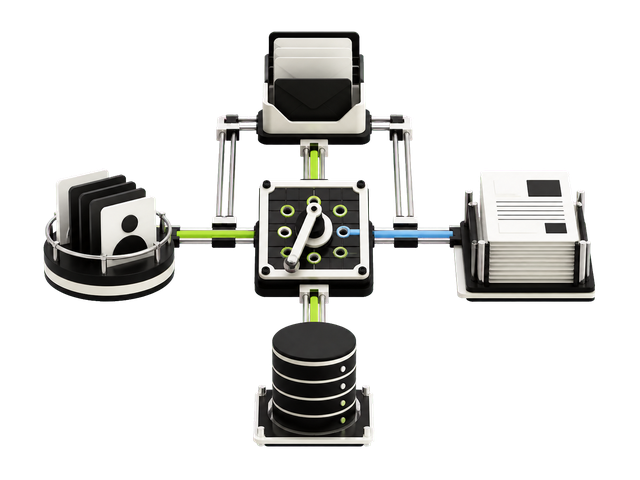
Architectural workflow model routing an inbox, records, documents, and a database through a bounded switchboard

Systems boundary

Approved connectors, bounded routes.

The role reaches only the systems, records, and actions named in its operating policy.

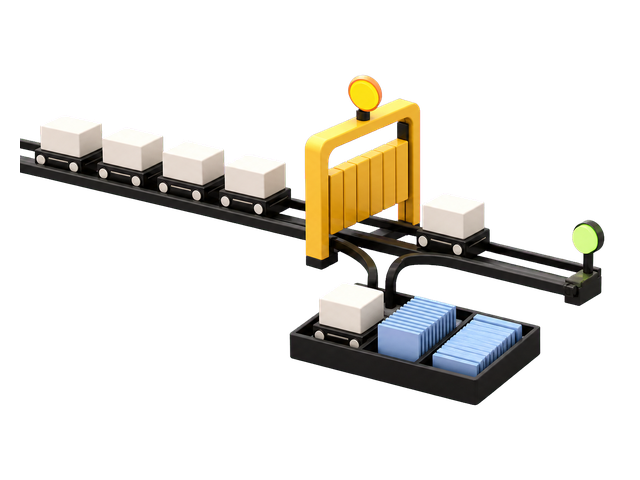
Workflow rail diverting an exception through an approval gate into an organized human handoff tray

Decision boundary

Exceptions leave with their context.

Sensitive or ambiguous work stops at the gate and moves intact to a named owner.

Private managed runtime with custom connectors, a health mechanism, and removable event-ledger cartridges

Runtime boundary

Private, monitored, and maintainable.

Custom connectors, health signals, and reviewable event records live inside the agreed deployment pattern.

Delivery

One role. Up to three workflows. Shared ownership.

WorkflowSystemsDataControls
  1. 01

    Role map

    Define the queue, sources, decisions, outputs, owners, exceptions, and measurable acceptance tests.

  2. 02

    Tool & policy design

    Validate integrations, set least-privilege access, write action limits, and choose approval points.

  3. 03

    Controlled validation

    Run real examples in a narrow scope, compare outcomes, and correct the workflow before permissions expand.

  4. 04

    Launch & workflow ownership

    Deploy and monitor the role, then teach the method and reusable templates your team uses to create, duplicate, test, and adjust its own workflows.

Simple plans

Every capability. Choose the infrastructure.

All plans include the complete AI employee, approved workflows, browser and research capability, documents, content, calendars, human approvals, and ongoing management. Plans differ only by cloud isolation and AI usage capacity.

Shared

$49/month

Shared managed cloud

Standard AI usage

  • All employee capabilities
  • Approved tools and workflows
  • Human approval controls
  • Managed updates and monitoring
Recommended

Private

$99/month

Private managed VPS

Higher AI usage

  • All employee capabilities
  • Approved tools and workflows
  • Human approval controls
  • Managed updates and monitoring

Private Plus

$199/month

Private managed VPS

Highest AI usage

  • All employee capabilities
  • Approved tools and workflows
  • Human approval controls
  • Managed updates and monitoring

No setup fee. Cancel future renewals at any time. Your current billing period remains available through its end.

Direct answers

Before a role touches the business.

Explore custom AI development

What can an installed AI employee do beyond the public demos?

A commercial role can be configured to work continuously on incoming tasks, use a controlled browser, research public sources, complete approved templates and documents, draft content, coordinate calendars or appointments, and operate approved tools and workflows. Capabilities are enabled only when needed; sensitive or external actions stay permission-bound and human-approved. Each public demo is intentionally narrower and does not imply that every capability is enabled there.

Is this a chatbot?

No. A conversational interface can be part of the system, but the deliverable is a managed operational role: a defined queue, approved knowledge, selected tools, action limits, human handoff, and monitoring.

Can it work with our CRM, email, help desk, database, or internal software?

Potentially. CodeAustral first validates supported access, permissions, data quality, rate limits, and recovery paths. An unsupported or unstable integration is narrowed, redesigned, or excluded before launch.

Do we need a new or dedicated phone number?

No. The employee works through the business channel you choose—your existing WhatsApp or Telegram. CodeAustral does not provide or require a second number. Channel access and policy fit are validated during onboarding.

Can our team create and change workflows?

Yes. CodeAustral configures up to three agreed initial workflows and teaches the operating method with reusable templates so your team can create, duplicate, test, and adjust its own workflows. Professional design, implementation, or integrations beyond that starting scope are quoted separately according to complexity.

Does the AI employee act without supervision?

Only inside the permissions approved for that role. Sensitive actions can require confirmation, and unknown or conflicting situations are escalated to a named owner.

What is included in the starting price?

Choose USD 49, USD 99, or USD 199 per month, with monthly or annual billing and no setup fee. Every plan includes the complete AI employee, approved workflows and tools, controlled browser and research capability, documents, content, calendars, human approvals, monitoring, and updates. USD 49 uses managed shared cloud; USD 99 and USD 199 use a private managed VPS and include progressively higher AI usage capacity.

How long does the first role take to launch?

The launch plan is set after CodeAustral validates the workflow, examples, access, approval owners, and integrations. A role using reliable existing access is faster to validate than one that needs a custom connector or data cleanup.

Where is company data processed?

The USD 49 plan uses a managed shared cloud with logical customer separation. The USD 99 and USD 199 plans use a private managed VPS. In every plan, access and data boundaries are configured around the approved role and sources.

What happens when a system or model fails?

The operating policy defines whether the role stops, retries, requests approval, or hands the work to a named person. Failures and handoffs are logged so the workflow can be reviewed and corrected.

How do we decide whether the role is useful?

Before launch, CodeAustral and the workflow owner define acceptance measures for the chosen queue, such as completion quality, processing time, handoff rate, error rate, or backlog reduction. The role is reviewed against those measures rather than judged as a generic AI demo.

What can I test in the functional demos?

Each demo opens a fictional vertical workspace with role-specific navigation, synthetic records, and multi-step work. Ask the operator to investigate, prepare a draft, route an exception, or explain the evidence behind its answer.

Are the demos connected to real business systems or customer data?

No. Public demos use synthetic records and simulated writes. Sensitive actions stop at an approval step, and nothing is sent to a real patient, client, court, grower, property lead, supplier, or field-service customer.


Start with up to three workflows

Bring the work that steals time every week.

Send your chosen business channel, up to three recurring workflows, current systems, approval points, and exception owner. The first reply will focus on feasibility and scope.

Send the workflow