

Adding AI to a web app is mostly a plumbing decision: the browser should never see your API key. Every call to OpenAI runs in a server route, and the browser only talks to your own /api/chat endpoint.
That single rule shapes everything below. Keep the key on the server and the integration stays simple to reason about: one endpoint to secure, one place to log usage, one surface where model upgrades happen. Scatter the key into client bundles and every one of those jobs gets harder at the same time.
This guide uses the Responses API at v1/responses with current IDs such as gpt-6-astra. If your codebase still uses chat.completions with gpt-4-turbo-preview or gpt-3.5-turbo, treat that code as legacy and plan a migration. Confirm the current model list and pricing in the OpenAI docs before you choose — model names move faster than blog posts, and the docs are the only list that counts.
Prerequisites
You need an OpenAI API key from platform.openai.com, Node.js 22 or newer, and a Next.js App Router project. Store the key only on the server in .env.local as OPENAI_API_KEY. Do not prefix it with NEXT_PUBLIC_, do not commit it, and use a separate restricted key for production.
The NEXT_PUBLIC_ prefix is the mistake to watch for. Anything with that prefix ships inside your client JavaScript, where anyone can read it. A plain server-side variable stays on the machine that runs your route handlers, which is the only place the OpenAI SDK should ever be constructed.
1. Install the SDK and create a server route
Install the official SDK:
npm install openaiCreate app/api/chat/route.ts. This file runs only on the server:
import OpenAI from "openai";
import { NextResponse } from "next/server";

export async function POST(request: Request) {
  if (!process.env.OPENAI_API_KEY) {
    return NextResponse.json({ error: "Missing OPENAI_API_KEY" }, { status: 500 });
  }
  let body: unknown;
  try { body = await request.json(); }
  catch { return NextResponse.json({ error: "Invalid JSON" }, { status: 400 }); }
  const raw = (body as { messages?: unknown } | null)?.messages;
  if (!Array.isArray(raw) || raw.length === 0 || raw.length > 20) {
    return NextResponse.json({ error: "Send 1 to 20 messages" }, { status: 400 });
  }
  const messages: { role: "user" | "assistant"; content: string }[] = [];
  let total = 0;
  for (const message of raw) {
    if (!message || (message.role !== "user" && message.role !== "assistant") ||
        typeof message.content !== "string" || !message.content.trim() ||
        message.content.length > 4000 || (total += message.content.length) > 16000) {
      return NextResponse.json({ error: "Invalid or oversized message" }, { status: 400 });
    }
    messages.push({ role: message.role, content: message.content });
  }
  const client = new OpenAI({ apiKey: process.env.OPENAI_API_KEY });
  const response = await client.responses.create({
    model: "gpt-6-astra",
    instructions: "You are a concise helpful assistant for a web app.",
    input: messages,
    max_output_tokens: 800,
  });

  return NextResponse.json({ message: response.output_text });
}
A few choices here are deliberate. The instructions field sets the assistant's behavior once per request instead of smuggling a system message through the client. The max_output_tokens cap keeps a runaway answer from becoming a runaway bill. The key is checked before constructing the SDK client, so a missing key produces the shown error response. JSON, message roles and text lengths are validated before any provider call. These bounds do not replace authentication, per-user rate limits or provider-error handling; add those before exposing a production endpoint.
When cost or latency matters, evaluate the smaller gpt-5.6 variants listed on the Models page and compare them on the Pricing page before launch. A support chatbot answering short factual questions rarely needs the flagship model; save gpt-6-astra for the tasks where reasoning quality visibly changes the answer.
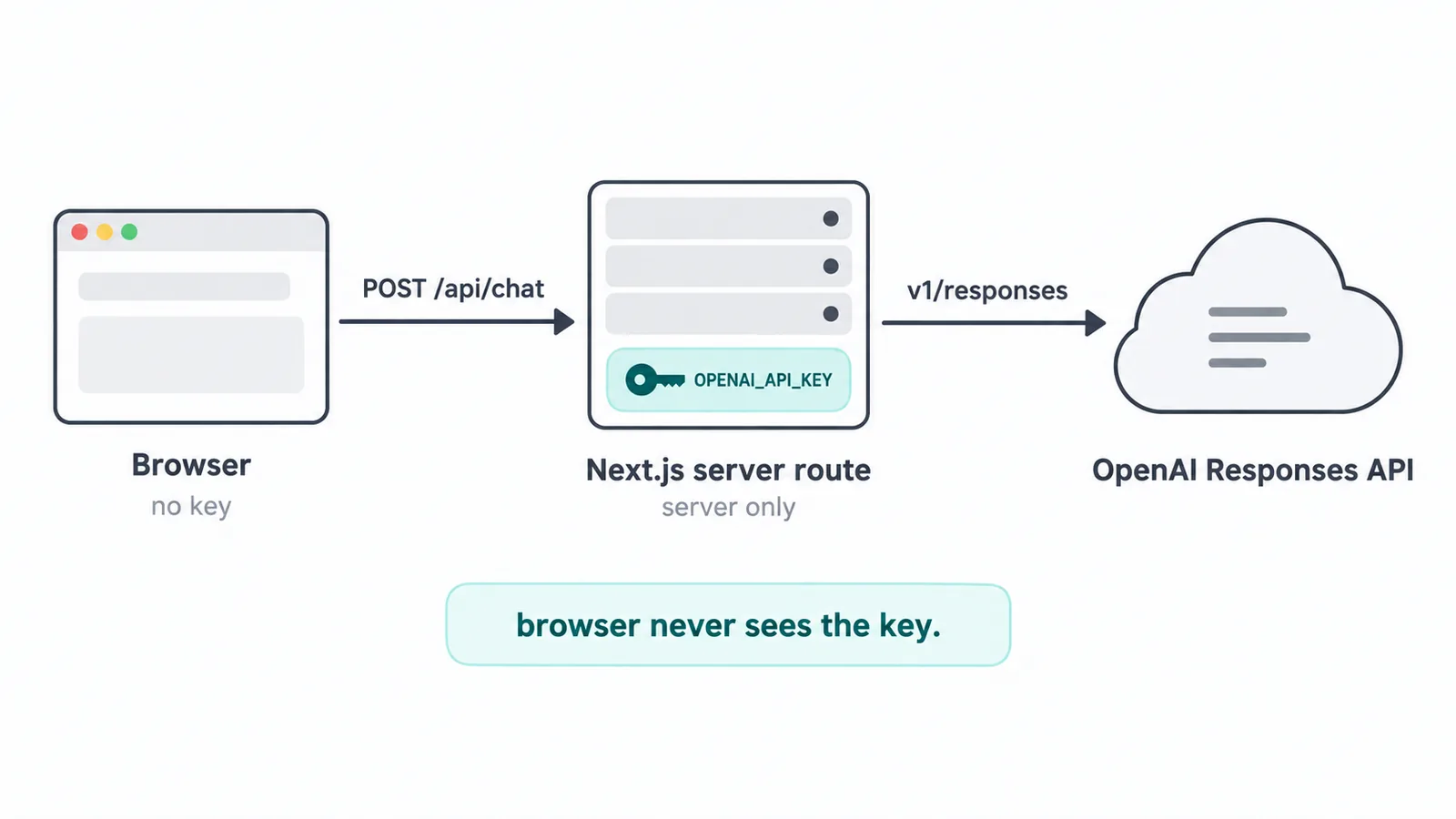
The request path stays short on purpose: the browser posts conversation history to your route, your route calls the Responses API with the server-only key, and the reply travels back the same way. Nothing secret crosses the first arrow.
2. Build a minimal chat interface
Keep the frontend simple. It sends history to your route and renders the reply. It never calls OpenAI directly:
'use client';
import { useState } from "react";

export default function Chat() {
  const [messages, setMessages] = useState([{ role: "user", content: "Hello" }]);
  const [input, setInput] = useState("");

  async function sendMessage() {
    const next = [...messages, { role: "user", content: input }];
    setMessages(next);
    setInput("");
    const res = await fetch("/api/chat", {
      method: "POST",
      headers: { "Content-Type": "application/json" },
      body: JSON.stringify({ messages: next }),
    });
    const data = await res.json();
    setMessages([...next, { role: "assistant", content: data.message }]);
  }

  return (
    <div>
      {messages.map((m, i) => <div key={i}>{m.content}</div>)}
      <input value={input} onChange={(e) => setInput(e.target.value)} placeholder="Ask something" />
      <button onClick={sendMessage}>Send</button>
    </div>
  );
}
This is intentionally bare. Production polish — markdown rendering, error states, retry buttons, message persistence — all comes later, and each piece is easier to add once the basic round trip works end to end. Resist the urge to build the beautiful chat window first; confirm the plumbing carries a real answer, then dress it up.
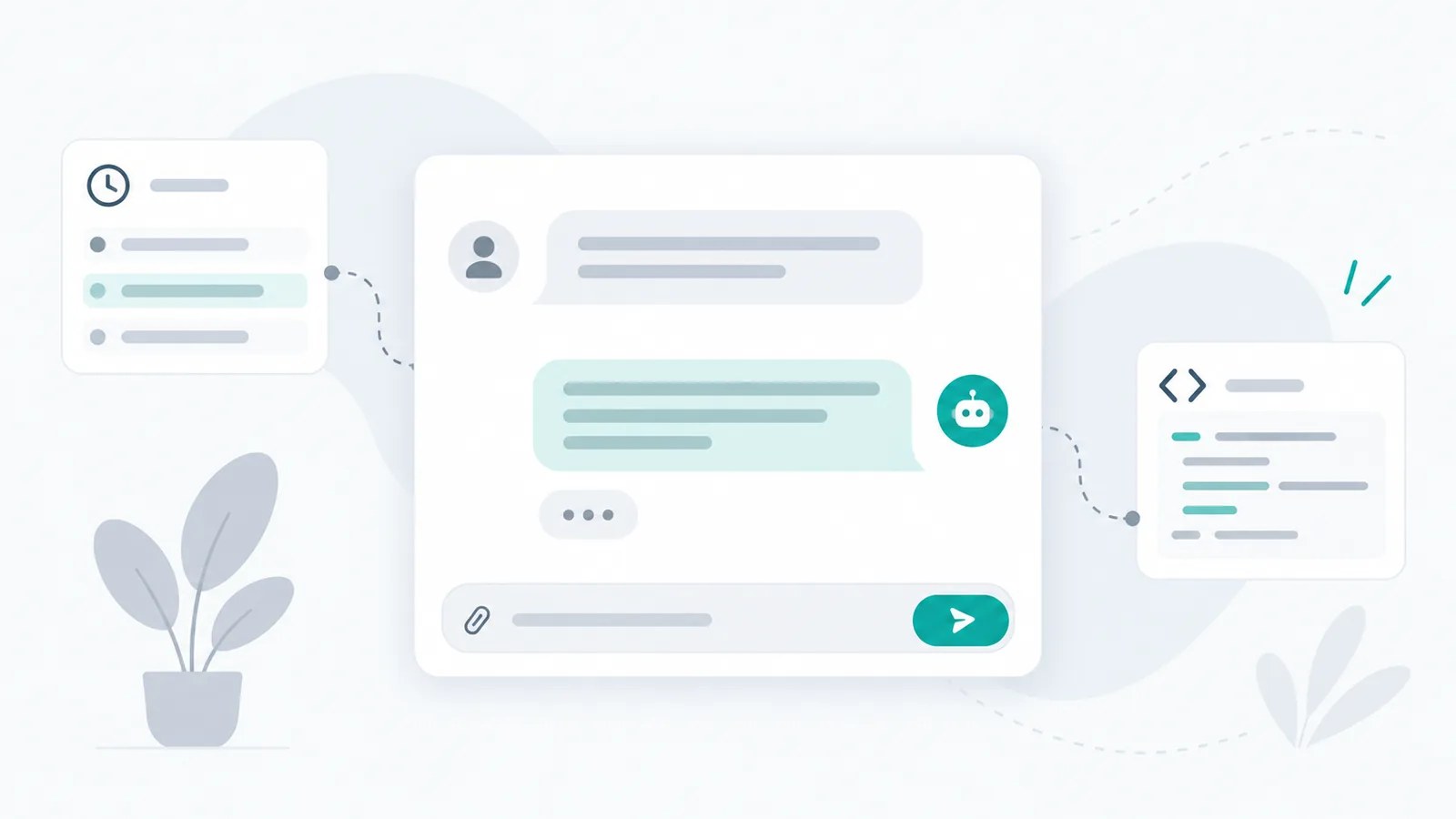
Start with one working round trip: a question leaves the input box, travels through your server route, and returns as an answer on screen. Every later feature hangs off this loop.
3. Add streaming once the happy path works
For longer answers, stream tokens from your route to the browser instead of waiting for the full response. Waiting for a complete reply feels fine in testing and sluggish in production, especially on open-ended questions where the model writes several paragraphs. Streaming closes that gap: the first words appear while the rest is still being generated.
Keep the same server-only key pattern — streaming changes how bytes travel, not where the secret lives. Follow the Responses streaming guide, handle abort on unmount so a user who navigates away does not leave a hanging connection, and show a typing state while the first tokens arrive. Add streaming after the non-streaming route is reliable, not before; debugging two new things at once is how afternoons disappear.
4. Return data with structured outputs
When you need data rather than prose — a summary object, a form extraction, a classification — request a schema-constrained response and validate it with Zod on the server before returning it to the client. That keeps parsing errors and retries where you can log them.
Free-text parsing is the brittle alternative: a regular expression against model prose breaks the first time the model rewords a sentence. A schema, described in the structured outputs guide, makes the shape part of the request, and Zod makes it part of your runtime contract. Validate on the server, return either clean data or a proper error, and never let the browser guess whether the JSON it received is complete.
5. Keep keys and costs under control
Set max_output_tokens, add rate limiting and a short server-side input limit, cache repeated answers, and log model, tokens, and latency per request. Monitor usage in the OpenAI dashboard and review the Pricing page before launch, because model prices change.
Each control earns its place. The output cap bounds the worst case per request. Rate limiting stops one enthusiastic user — or one misbehaving script — from spending your budget in an hour. Input limits keep thousand-word pastes from becoming thousand-token surprises. Caching turns repeated questions, the welcome message, the FAQ answer everyone asks, into near-free responses. And per-request logs of model, tokens, and latency are what let you answer the only cost question that matters: which calls are worth what they cost.
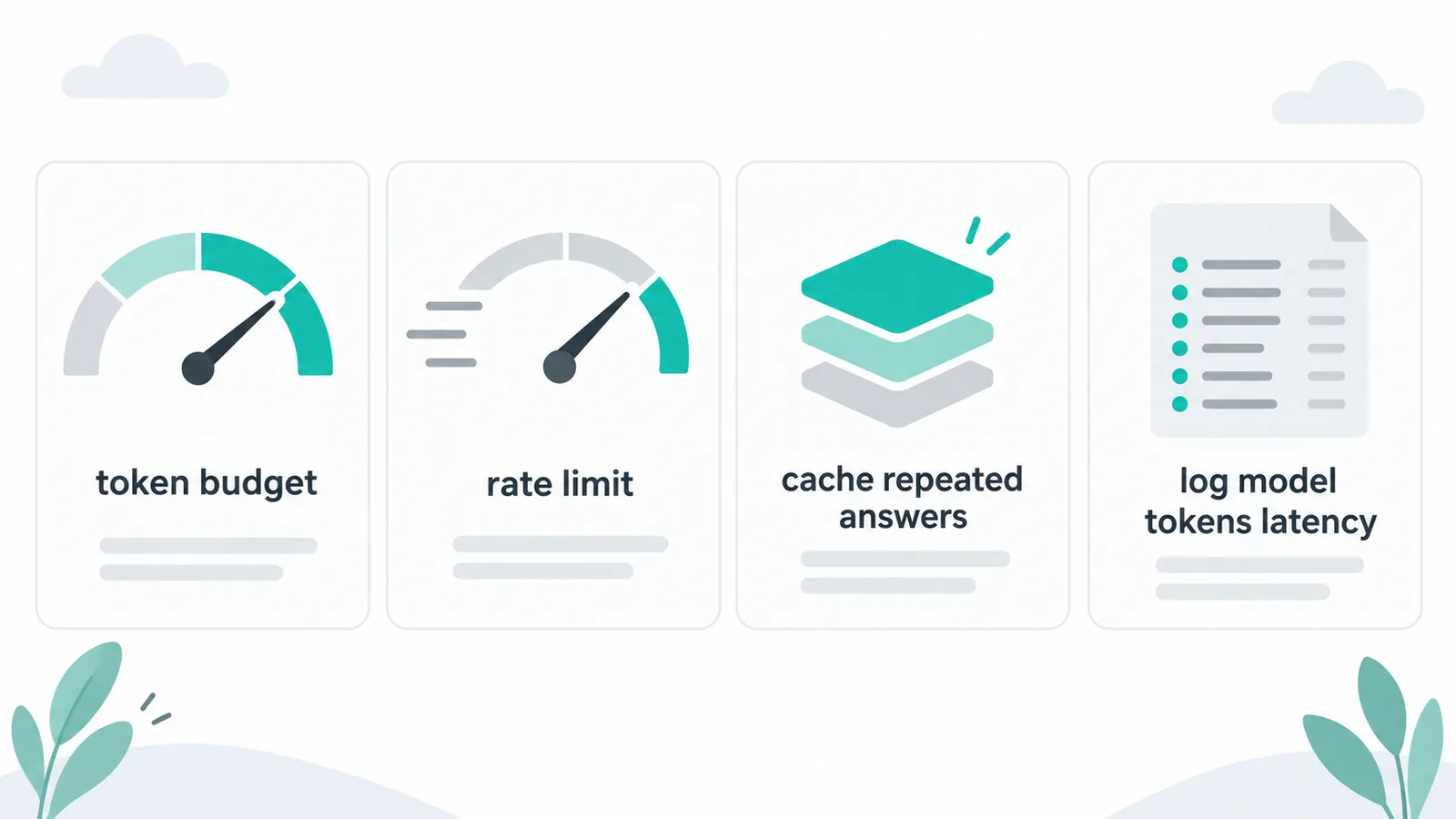
Four habits that keep the bill predictable: cap output tokens, limit request rates, cache repeated answers, and log model, tokens, and latency for every call.
What to do next
Start with one non-streaming route, add streaming once it is reliable, then add one structured-output endpoint for the single form or summary your app truly needs. If the scope needs design, evaluation, or production hardening, explore the scope and build your estimate.
Teams usually arrive with one of two follow-ups: help wiring this into an existing product, covered under our AI development work and Services, or a broader question about what AI should do in their product at all. Either way, Send a brief with your stack and your constraint — latency, budget, accuracy — and see related builds in our Portfolio to calibrate what the effort looks like.
Useful links: OpenAI Models docs, API Changelog, Latest-model guide, Pricing, OpenAI platform.