

TypeScript and Next.js are a powerful combination, but only when the types follow the data all the way from the server to the form. Most projects get the easy part right — "strict": true in tsconfig.json — and then lose the benefit where bugs actually live: the fetch that assumes a shape, the form that checks in the browser but trusts everything on the server, and the link that points to a route that moved last month. Use the patterns below to catch errors before runtime and keep API, form, and page data consistent.
The through-line is simple. Share one shape between server and client, validate once at the boundary with a schema that also produces your static type, and let the router check your links the way the compiler checks your props. The rest of this guide shows each step with working code you can copy into a current Next.js App Router project.
Start from a strict baseline
Create a new app with TypeScript enabled. The current create-next-app has no --typescript flag — answer the prompts and choose TypeScript when asked:
npx create-next-app@latest my-appYou will see Would you like to use TypeScript? No / Yes among the setup questions. If you pass --yes, the defaults already include TypeScript, ESLint, Tailwind, App Router and the @/* import alias, so there is nothing extra to add. This matches the current Next.js Installation guide (version 16.3.5, updated July 21, 2026).
Adding TypeScript to an existing project is even shorter. Rename a file to .ts or .tsx and run next dev. Next.js installs the needed dependencies and writes a tsconfig.json with the recommended options. Keep strict checking on as the starting point:
{
  "compilerOptions": {
    "strict": true
  }
}
Zod's own docs ask for the same setting, and it is what our production tsconfig.json uses. The extra flags you sometimes see copied between projects — noUncheckedIndexedAccess, noImplicitReturns, noFallthroughCasesInSwitch — are optional hardening, not part of the Next.js default. noUncheckedIndexedAccess is genuinely useful when you index arrays and records a lot, because it forces you to handle undefined, but it also adds noise to quick prototypes. Enable it deliberately per project instead of treating it as required.
If you are adding types to an existing Next.js project, see our web development approach and services for how we scope that work.
Share one shape for API data
Standardize responses so pages and clients share one shape. Define it once in a shared file and import it on both sides:
interface ApiResponse<T> {
  data: T;
  success: boolean;
  error?: string;
  timestamp: number;
}

interface User {
  id: string;
  name: string;
  email: string;
}

async function fetchUser(id: string): Promise<ApiResponse<User>> {
  const res = await fetch(`/api/users/${id}`);
  if (!res.ok) {
    throw new Error('Failed to fetch user');
  }
  return res.json() as Promise<ApiResponse<User>>;
}
Two details matter here. First, type the return of res.json() and handle non-OK responses instead of assuming every fetch succeeds — fetch only rejects on network failure, not on a 404 or 500. Second, Keep server and client types in a shared file when possible. Duplicated User interfaces drift within weeks; a single types/user.ts imported by the route handler and the page does not.
Narrow unknown at the edge and type the states your UI actually renders. A small union beats a nullable bag of optionals:
type UserState =
  | { status: 'loading' }
  | { status: 'ready'; user: User }
  | { status: 'failed'; message: string };
In the App Router this pattern goes further than it did in pages. Data fetched in a Server Component is not serialized on the way to the page — you can return Date, Map or Set directly — and colocated fetching makes the flow from fetch function to page visible in one file. That is as close to end-to-end type safety as you get without prescribing your database; pair it with an ORM or type-safe query builder and the response type above is inferred, not redeclared.
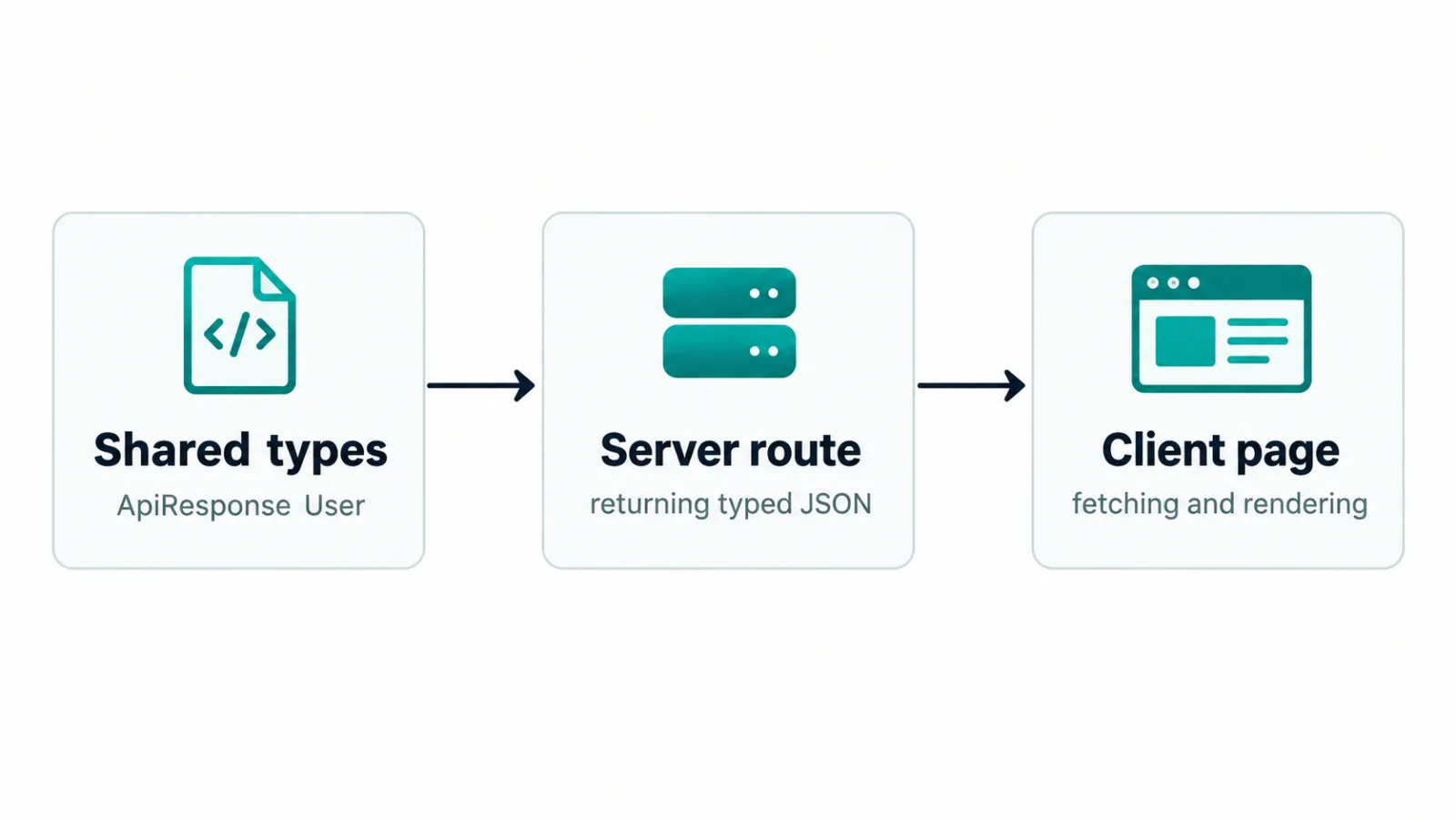
When the server and the client import the same ApiResponse<User>, a field rename breaks the build instead of breaking checkout on a Friday evening.
Validate at the boundary with Zod
Types disappear at runtime, so keep runtime validation and static types in sync. Zod 4 is current as of September 2026 (4.6 on zod.dev), installed with npm install zod and imported as import * as z from "zod". Define the schema once and derive the form type from it:
import * as z from "zod";

const SignupSchema = z.object({
  name: z.string().min(2, { error: "Name too short" }),
  email: z.email({ error: "Enter a valid email address" }),
  password: z.string().min(8, { error: "Password must be 8+ characters" }),
  confirmPassword: z.string(),
}).refine((data) => data.password === data.confirmPassword, {
  error: "Passwords don't match",
  path: ["confirmPassword"],
});

type SignupForm = z.infer<typeof SignupSchema>;
This reflects the current API. The top-level z.email() replaces the deprecated z.string().email() form, which still runs but is marked deprecated in the Zod 4 migration guide. The second argument to string checks and to .refine() is now { error: ... }, not { message: ... } — the old message key still parses but is deprecated in favour of the unified error param. z.infer<typeof SignupSchema> remains the way to extract the static type, and it stays correct when the schema changes because there is only one source.
Parsing is where the schema earns its keep. Prefer safeParse in event handlers and route handlers so validation failure is data, not an exception:
const result = SignupSchema.safeParse(formData);
if (!result.success) {
  // result.error.issues lists each field path with its message
  return result.error.issues;
}
// result.data is SignupForm here
safeParse returns a discriminated union: either { success: true; data } with fully typed data, or { success: false; error } with a ZodError whose issues array carries path, code and your custom message for each failed field. Use the same SignupSchema on the server action or API route that receives the form — the browser check is for speed and feedback, the server check is for safety. For per-field messages in the UI, map issues by path; for logging, keep code alongside the message so you can tell a too-short password from a mismatched confirmation without parsing English.
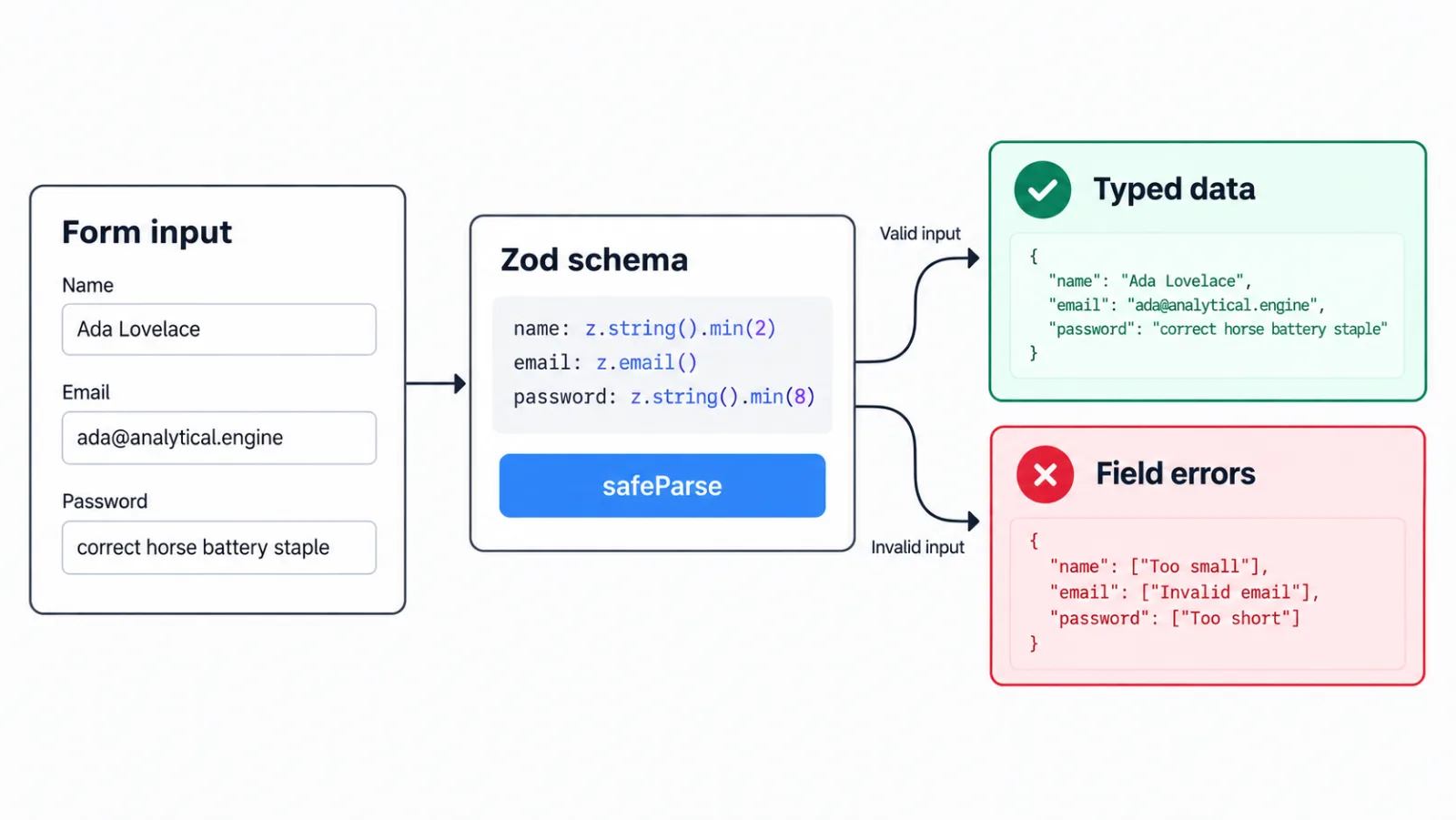
One schema, two uses: instant feedback in the form and a trustworthy gate on the server, with the TypeScript type derived from the same definition.
Type the server-to-client boundary and the routes
Type props and data-fetch returns explicitly. Avoid any across server-to-client boundaries, narrow unknown at the edge, and keep route params typed. A typical App Router page needs no special Next.js types for the fetch itself — just type what goes in and what comes out:
async function getUser(id: string): Promise<User> {
  const res = await fetch(`https://api.example.com/users/${id}`);
  if (!res.ok) {
    throw new Error('Failed to load user');
  }
  return res.json() as Promise<User>;
}

export default async function Page() {
  const user = await getUser("1");
  return <h1>{user.name}</h1>;
}
This requires TypeScript 5.1.3 or newer with matching React types for async Server Components, which any current setup already satisfies. When you need the route's own params, Next.js generates global helpers during next dev, next build or next typegen — PageProps, LayoutProps and RouteContext — so you do not hand-write param types that drift from the file-system route.
Links deserve the same treatment. Enable statically typed routes in next.config.ts:
import type { NextConfig } from 'next';

const nextConfig: NextConfig = {
  typedRoutes: true,
};

export default nextConfig;
With typedRoutes on and TypeScript enabled, literal href strings in next/link and in router.push, router.replace and router.prefetch are checked against your actual routes. <Link href="/about" /> passes, <Link href="/aboot" /> is a TypeScript error, and dynamic segments like ` /blog/${slug} validate too. Non-literal strings need an explicit cast with as Route from 'next'. Include .next/types/**/*.ts in your tsconfig.json include array if you set the project up without create-next-app`, otherwise the generated route list is invisible to the compiler. This is the cheapest regression test a Next.js site can have: renamed routes break the build instead of shipping dead links.
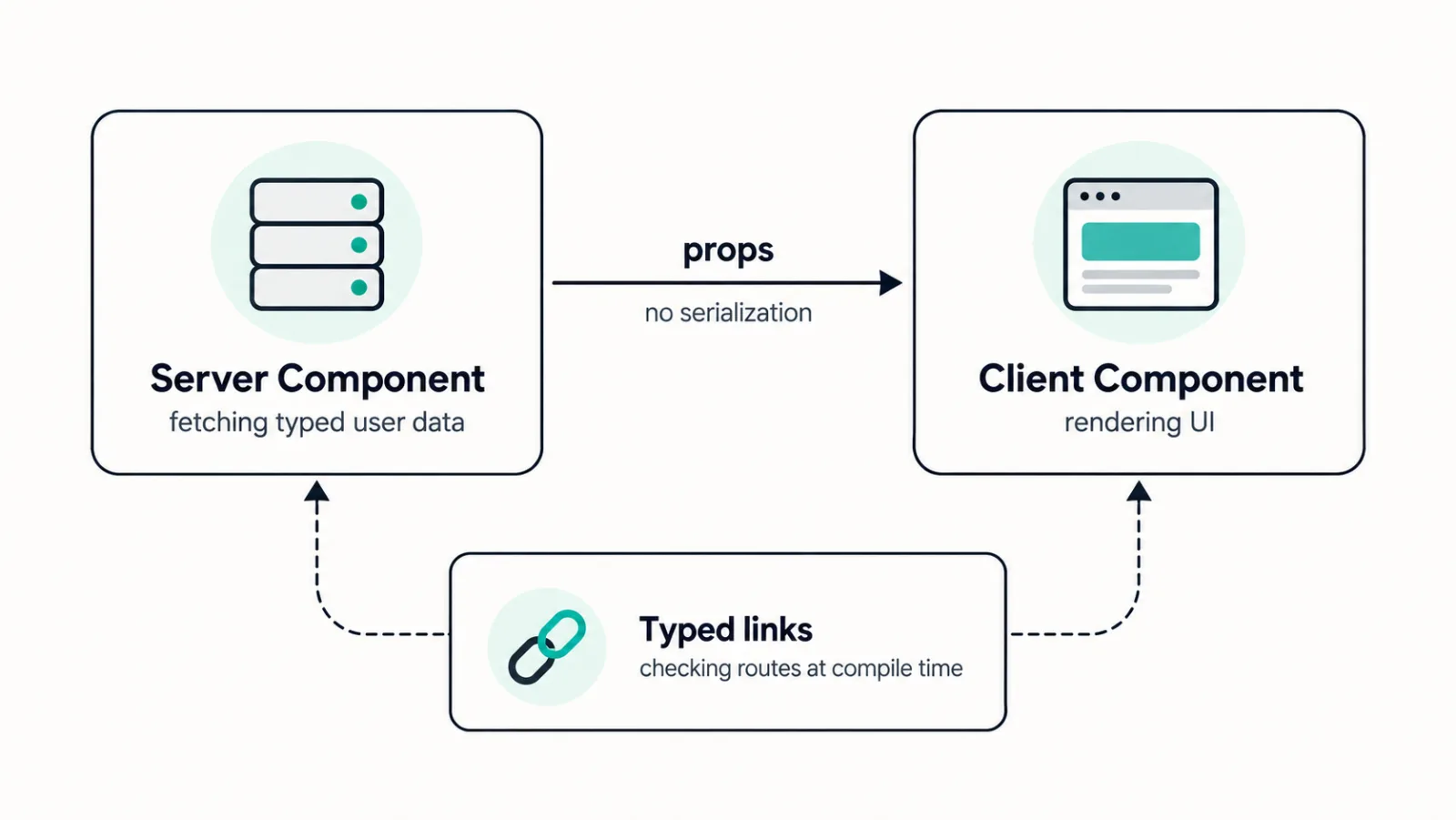
A short checklist we actually use on review: strict on with errors fixed at the edge rather than silenced with any; shared ApiResponse<T> types for every fetch with res.ok handling; Zod z.infer as the single source for each form plus safeParse on both client and server; loading and error states as typed unions; and typed routes on so navigation is compiler-checked. Review related work in our portfolio to see what this looks like in shipped products.
Your Project With CodeAustral
Explore the scope and build your estimate. Build my estimate or Send a brief.